Screen Diffusion
A downloadable tool
🌌 Screen Diffusion
A real-time AI transformation tool for artists, dreamers, and creators.
🕊️ What Is Screen Diffusion?
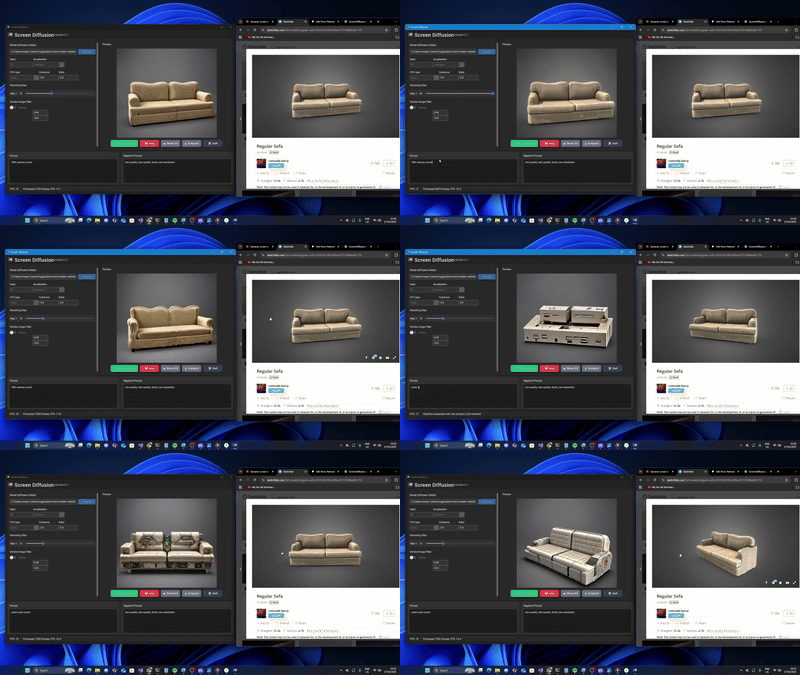
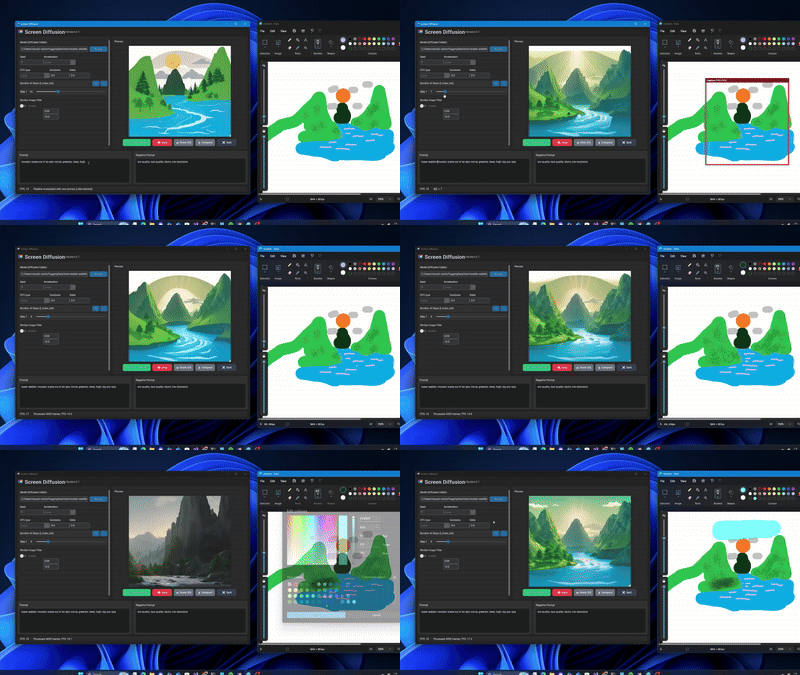
Screen Diffusion is a live image-to-image AI renderer that transforms your computer screen into living art — in real time.
Whatever you display — a game, a 3D scene, a photo, a design , a webcam— can be instantly reimagined through SD-Turbo model to reveal new styles, moods, or worlds.
It’s built for artists, developers, streamers, and visionaries who long to see creation through new lenses — to behold the ordinary transformed into the extraordinary.
✨ Features
-
🎞️ Real-Time Transformation — Capture any window or screen region and watch it evolve live through AI.
-
🧠 Local AI Models — Uses your GPU to run Stable Diffusion variants in real time.
-
🎛️ Adjustable Prompts & Settings — Change prompts, styles, and diffusion steps dynamically.
-
⚙️ Optimized for RTX GPUs — Designed for speed and efficiency on Windows 11 with CUDA acceleration.
- 💻 1 Click setup — Designed to make your setup quick and easy.
🎁 Free to Use — Support/Tip If You Wish
This project is completely free for everyone to use and explore.
If Screen Diffusion inspires you, you can “pay what you want” or Tip — your support helps sustain development and future features:
- Higher resolution img2img.
- TensorRT support.
- Other model support including (SDXL-Turbo, SDXS)
- Controlnet and LoRA support
- More optimization for higher frame-rate.
- Custom GUI themes and auto-prompt presets.
source code: https://github.com/rudyaa-sd/ScreenDiffusion
🙏 Every contribution, message, and prayer helps this project grow.
🛠️ Prerequisites
-
Windows 11 / Windows 10
-
NVIDIA GPU with 8GB+ VRAM (RTX 3080 or higher recommended)
-
CUDA Toolkit 12.1 installed (Restart required after install)
Python 3.11.8 (download) https://www.python.org/downloads/release/python-3118/
( Click on "Ad Python 3.11.8 to PATH" when installing)-
Download SD-Turbo Model stored locally - (download link) https://huggingface.co/stabilityai/sd-turbo/tree/main
(Point the app to the folder that contains unet / vae/ textencoder...etc. This folder has to have a file called "model_index.json" 
no need to download this
📦 Installation
- Download the ZIP file and extract it anywhere on your computer.
- Open "Screen Diffusion.exe"
- Click on "Enable GPU" button and wait for everything to download.
- Once download has finished the app is restarted automatically.
- Point to your model folder path.
- Click Start.
- Choose your capture region, adjust prompts, and enjoy the transformation.
💡 Tip: Keep your model (e.g., SD-Turbo) next to the .exe for easy access.
🔧Troubleshooting
- If for some reason Torch isn't being recognized by the app after clicking EnableGPU, cd into the "_internal" folder directory and download Torch with code (copy and paste it, it's one line) : pip install --target . --upgrade --no-deps torch==2.1.0+cu118 torchvision==0.16.0+cu118 --index-url https://download.pytorch.org/whl/cu118
- If you get an error about the model, try using the fp16 in the model folder that you downloaded, but rename them by removing the fp16 extension for all three unet/vae/text_encoder.
- Comment down in the comment section on the issue you're having, and I'll try to help you find a solution.
⚠️ Antivirus Notice
Some antivirus software may falsely flag the EXE — this is a common issue with PyInstaller-based apps.
ScreenDiffusion is safe, open source, and completely local.
Please feel free to build your own EXE file from the source code if you want:
https://github.com/rudyaa-sd/ScreenDiffusion
🌄 Closing Thought
May Screen Diffusion inspire you to see creation not just as pixels, but as a living canvas.
Download
Click download now to get access to the following files: